
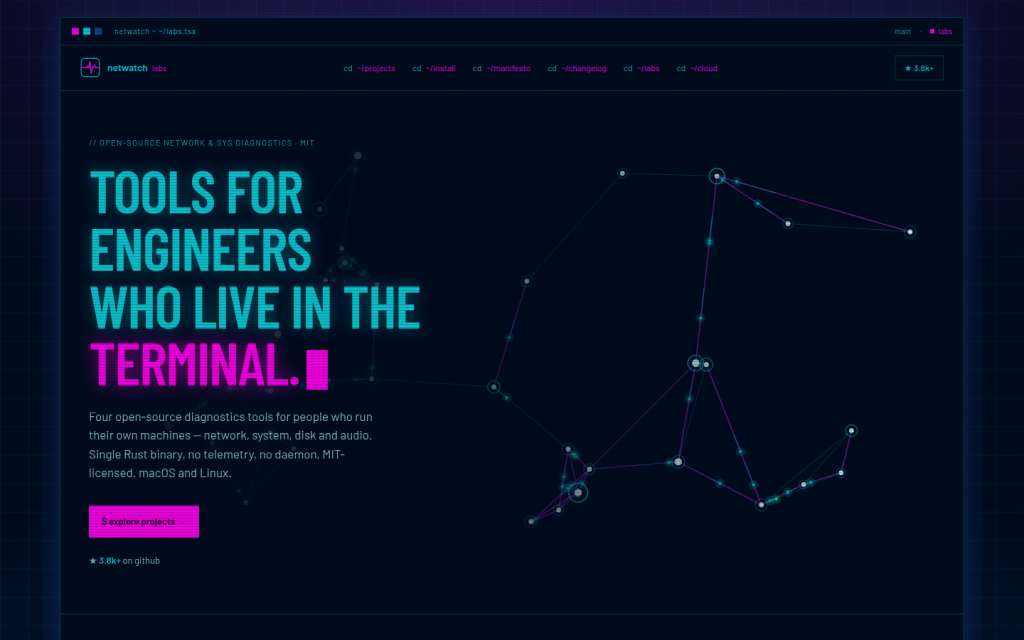
NetWatch Labs is an online hub for a family of open-source terminal-based diagnostics tools and an optional cloud service for fleet monitoring. It focuses on engineers and operators who work primarily in terminal environments and need observability into network traffic, system performance, disk behavior and audio pipelines on macOS and Linux machines. The site presents both the downloadable tools and a hosted NetWatch Cloud offering built on the same open-source agent, with a philosophy of read-only diagnostics, single static binaries and no telemetry.
The core of NetWatch Labs is a set of Rust-based utilities distributed as single static binaries: netwatch, syswatch, diskwatch and soundwatch. These tools are designed to be installed on individual machines and run in a text user interface in the terminal. They emphasize real-time visibility, minimal configuration and the ability to run without additional daemons or agents. Visitors can learn what each tool does, see live release information pulled from GitHub, read usage guides, and access installation instructions for macOS and Linux, including Homebrew formulas and source-based installation with Cargo or make.
Netwatch is presented as a real-time network diagnostics tool for the terminal. It offers visibility into interface bandwidth, gateway latency, packet loss, DNS latency and active connections in one interface. It can attribute connections to processes, run health probes for gateway and DNS, capture packets with filtering and stream views, and provide topology and traceroute information. The tool is designed to answer what the machine and network are doing at a given moment, functioning somewhat like a network-focused equivalent to common system monitoring tools. It operates with zero configuration for basic usage and can be used with or without elevated privileges depending on whether packet capture and certain probes are required.
Syswatch is a single-host system diagnostics TUI. It presents information across multiple tabs, including CPU, memory, disks, processes, GPU, power, services and network, along with a timeline scrubber and an anomaly detection component called Insights. Syswatch is intended for situations where a user senses that the system is behaving unusually and wants a unified view rather than switching among separate tools such as htop, iostat and various process or power utilities. It uses system information libraries to work across macOS and Linux and shares certain parsers with the netwatch ecosystem so that network and disk counters have a consistent source of truth.
Diskwatch focuses on disk and storage diagnostics for a single host in the terminal. It provides multiple tabs that cover devices, volumes, filesystems, input/output statistics, SMART data, hot files and insights about capacity trends, throughput and high-percentile latency. It aims to show not just static capacity information but ongoing behavior, including which files are being written and how performance metrics evolve over time. Diskwatch is described as read-only and without a daemon, aligning with the broader principle that diagnostics tools should observe by default rather than modify disk configuration or data.
Soundwatch is dedicated to audio diagnostics. It runs in ten tabs that show devices, streams, meters, latency, xruns, routing details and a real-time spectrum analyzer. The tool is intended for users who encounter audio issues and need to understand what the audio subsystem is doing, beyond listing devices or changing settings. Soundwatch is explicitly described as read-only by construction; it does not alter volumes, mutes, routes or defaults, does not write back to the audio system and does not record audio to disk. This makes it suitable for troubleshooting audio problems while ensuring that the diagnostic process itself does not change audio behavior.
The NetWatch Labs site also describes NetWatch Cloud, a hosted service that offers a multi-host fleet view built on the open-source agent used by the tools. The cloud component is framed as optional: the open-source tools are guaranteed to work without any connection to the cloud service. NetWatch Cloud is intended to provide remote monitoring and aggregated data across fleets of machines, with self-hosted ingest as an alternative to using the hosted cloud. Data exports from the cloud are described as JSON-based. A free tier is available at present, and higher-volume paid tiers are anticipated but not detailed.
NetWatch Labs articulates a clear set of principles for its tooling, including read-only behavior by default, single static binaries without daemons or agents, no telemetry collection, terminal-first design, permissive MIT licensing, and solo-driven development with fast iteration. These principles shape the visitor experience: the site emphasizes command-line workflows, open-source access and the absence of vendor lock-in. Visitors can browse project descriptions, watch short demo clips, review a changelog that pulls recent releases from GitHub, and follow links to detailed “how to use” pages for each tool.
Typical use cases for NetWatch Labs tools include diagnosing sudden or ongoing network issues, monitoring system health when something feels off, investigating disk performance or capacity trends, and understanding unexpected audio glitches or latency. Engineers can install netwatch, syswatch and diskwatch quickly via Homebrew on macOS or Linux distributions that support it, or build and run the tools from source using Cargo. Soundwatch currently installs from source via Git and make. For organizations or users managing multiple machines, NetWatch Cloud provides a centralized fleet view without requiring migration away from the open-source binaries.
The intended audience for NetWatch Labs consists of system administrators, network engineers, SREs, developers, audio engineers and technically inclined users who prefer terminal-based tools and manage their own machines or fleets. The tools and documentation are written for people comfortable with command-line environments and basic system concepts such as interfaces, processes, IO, filesystems and audio routing.
Access to the open-source tools does not require registration; binaries and source code can be downloaded or installed via package managers or Git repositories. NetWatch Cloud offers a sign-up flow to create an account and access the hosted fleet monitoring features. The current access and pricing model combines free open-source tools under the MIT license with a cloud service that has a free tier and potential future paid tiers for higher-volume or advanced usage.
Key features
- Family of open-source diagnostics tools for network, system, disk and audio monitoring.
- Single static Rust binaries with terminal-based user interfaces and minimal configuration.
- Focus on read-only diagnostics; tools observe system behavior without mutating by default.
- Support for macOS and Linux across the toolset, with Homebrew installation available for several utilities.
- Real-time network visibility including bandwidth, latency, packet loss, DNS health and active connections.
- System diagnostics across CPU, memory, disks, processes, GPU, power, services and network with timelines and anomaly insights.
- Disk behavior analysis including capacity trends, throughput, high-percentile latency, SMART data and active file writes.
- Audio diagnostics with device and stream views, meters, latency and xruns monitoring, and real-time spectrum analysis.
- Optional NetWatch Cloud service providing hosted multi-host fleet monitoring built on the open-source agent.
- MIT licensing for all tools, allowing reuse, modification and embedding in other products or workflows.
Who it is for
- Network engineers and operators
- System administrators and SREs
- Developers who manage their own infrastructure or workstations
- Linux and macOS power users who prefer terminal-based tools
- Audio engineers and technically inclined users troubleshooting audio issues
- Teams managing fleets of machines that require centralized diagnostics and monitoring
Access and pricing
The NetWatch Labs tools netwatch, syswatch, diskwatch and soundwatch are open-source and released under the MIT license, meaning they can be downloaded, used and modified without license fees. Installation is possible via free package managers such as Homebrew or by building from source. NetWatch Cloud is offered with a free tier at present, and there are indications that paid tiers may be introduced for higher-volume or more intensive use, but specific pricing levels, limits and features of those tiers are not publicly detailed.