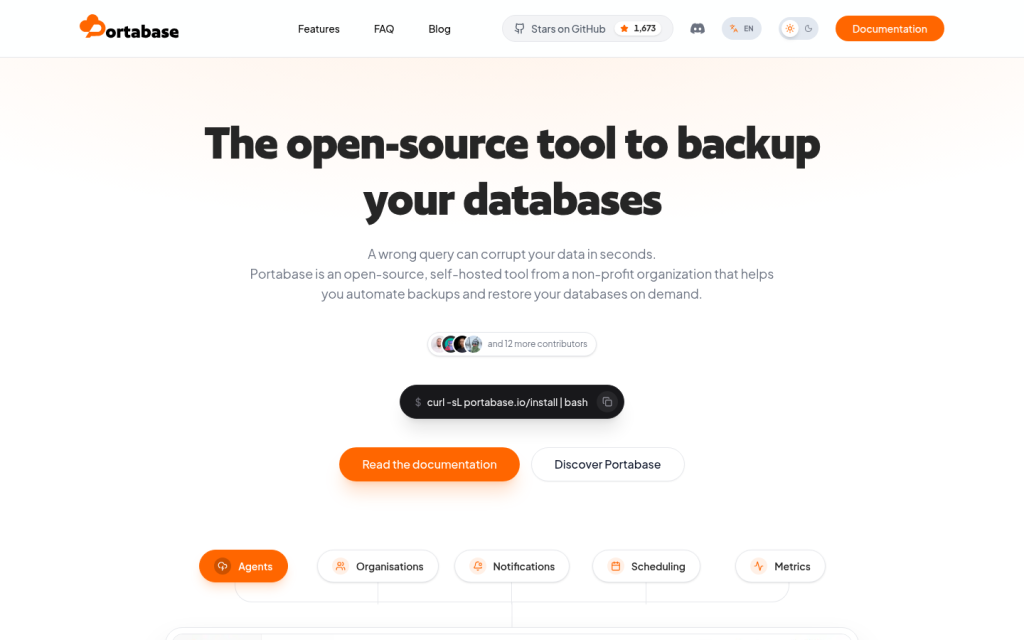
Portabase is an open-source, self-hosted platform designed to centralize, automate, and secure backups and restores for multiple types of databases and data stores. It is led by a non-profit organization and released under a permissive open-source license, with the goal of providing a unified way for DevOps teams and database administrators to manage backup operations across diverse environments. Instead of relying on scattered cron jobs and custom scripts, Portabase offers a single system where users can configure, schedule, monitor, and restore backups for many database engines from one interface.
At its core, Portabase provides a web-based dashboard and a set of lightweight agents. The dashboard runs as a central service, while agents are installed close to the databases, typically on the same servers or within the same infrastructure. The agents handle the actual backup and restore operations, allowing Portabase to work without exposing databases to public networks or opening inbound ports into database hosts. This agent-based architecture is oriented toward self-hosted and edge environments and is intended to simplify secure backup management across multiple instances.
Portabase supports a broad spectrum of database engines, including widely used relational databases and document or key-value stores. Public information commonly lists support for PostgreSQL, MySQL, MariaDB, SQLite, Microsoft SQL Server, Firebird, MongoDB, Redis and Valkey, along with Docker volumes as additional backup targets. Through this coverage, teams running mixed stacks can use a single tool for backup and restoration activities instead of managing separate solutions per engine. The platform focuses on logical backups, adapting to the specific capabilities of each database type while presenting a consistent experience in the dashboard.
The main user-facing component is a modern dashboard that allows visitors to view connected agents and database instances, configure backup jobs, and review backup history and metrics. Users can define where backups are stored by connecting one or more storage backends, such as local filesystem paths or S3-compatible object storage. Portabase offers multi-backend storage, so different databases or workloads can write backups to different destinations. Within the dashboard, users can also define retention policies, specifying how long backups are kept and which ones are automatically pruned.
Scheduling and retention controls are central parts of Portabase. The system supports fixed-interval scheduling and cron-style expressions, enabling detailed control over when backups are executed. It also offers multiple retention strategies, including Grandfather-Father-Son tiers (hourly, daily, weekly, monthly, yearly), keep-last-N backups, and keep-for-X-days rules. These strategies can typically be configured per database, so critical systems can have more conservative retention while less critical ones use lighter policies. Once configured, Portabase automates the ongoing execution of backup jobs according to these schedules and retention rules.
Portabase includes mechanisms for restoring backups on demand. From the dashboard or via the CLI and APIs, users can select a backup, initiate restore operations, and follow progress. The restoration capabilities vary by database engine, but the platform aims to simplify the process for common scenarios, such as restoring a full backup to a replacement instance or recovering data after accidental changes. This dual focus on both backup and restoration distinguishes Portabase from tools that only provide export or snapshot functionality.
Notifications and alerts are another aspect of the visitor experience. The platform can send messages when backup jobs succeed or fail, when incidents are detected, or when certain thresholds are reached. Public information highlights that Portabase supports multiple notification channels, including email, chat platforms such as Slack and Discord, messaging services like Telegram and Ntfy, and generic webhooks. Users can configure notification policies and severity levels so that appropriate teams are informed in real time about the status of backup operations and any required follow-up actions.
Access management and security are emphasized in the overall design. Portabase supports external authentication via OIDC and OAuth2, allowing integration with identity providers for single sign-on. The system includes organizational features and role-based access control, enabling administrators to create organizations or teams, assign users, and grant permissions aligned with their responsibilities. This makes it possible to separate access to different sets of databases or environments, which can be important for companies with multiple departments or customers.
In addition to the graphical dashboard, Portabase provides a command-line interface and programmatic endpoints. The CLI can be used to install agents, manage configurations and databases, and interact with the system from terminal-based workflows. A REST API offers integration points for custom tools and automation, while an MCP server is available for connecting Portabase to AI agents or other software that can issue structured commands. These interfaces make the tool suitable for inclusion in DevOps pipelines, infrastructure-as-code definitions, and automated recovery runbooks.
Visitors to the Portabase website can access documentation that explains the installation and operation of both the dashboard and the agents. The documentation typically covers getting started steps, deployment options, configuration examples, supported database engines, storage backends, notification channels, and security considerations. It includes guidance for installing Portabase via Docker, Docker Compose, CLI commands, and sometimes mentions compatibility with orchestrators like Kubernetes and Helm charts. Users can learn how to set up local testing environments as well as production-ready deployments.
Portabase is intended mostly for technical audiences, particularly DevOps engineers, site reliability engineers, database administrators, and operators responsible for data resilience. It can also be relevant for software teams managing their own infrastructure, hosting providers, and self-hosting enthusiasts who run multiple databases. Typical use cases include centralizing backups for many database instances, standardizing backup retention and scheduling policies, implementing consistent restore procedures, and monitoring the health and reliability of backups across a fleet of services.
Beyond the core product and documentation, the Portabase ecosystem includes a public code repository and community presence. The codebase is available online, allowing contributors to review, submit changes, and open issues. Community articles, blog posts, and guides describe experiences with using Portabase in production, self-hosting it, and integrating it with existing infrastructure. These materials help prospective users understand how the tool behaves in real-world scenarios and provide practical examples of configurations and workflows.
The access and pricing model for Portabase centers on its status as free and open-source software. Users can download, install, and run the tool without licensing fees. Any optional commercial services, hosted offerings, or support plans are not clearly documented in the available sources, so the primary assumption is that organizations host and operate Portabase on their own infrastructure. Registration requirements for browsing the website and documentation are minimal, while using the software generally involves local setup and, optionally, creation of user accounts within the deployed instance for multi-user access.
Overall, Portabase presents itself as a comprehensive solution for managing database backups and restores in a self-hosted, open-source manner. It combines a centralized web interface, agent-based architecture, multi-database support, flexible scheduling and retention, notifications, role-based access, and automation interfaces to help technical teams maintain resilient data infrastructure across varied environments.
Key features
- Open-source, self-hosted database backup and restore platform led by a non-profit organization.
- Central web dashboard for configuring, scheduling, and monitoring backups and restores across multiple database instances.
- Agent-based architecture that runs lightweight agents near databases, avoiding public exposure and inbound ports.
- Support for multiple database engines, including common relational and document stores, plus Docker volume backups.
- Configurable multi-backend storage with support for local filesystem and S3-compatible storage providers.
- Flexible backup scheduling using fixed intervals and cron-style syntax.
- Advanced retention policies with Grandfather-Father-Son tiers, keep-last-N and keep-for-X-days rules, defined per database.
- On-demand restore workflows to recover data from stored backups, accessible from the dashboard and CLI.
- Notifications and alerts via multiple channels such as email, chat platforms, messaging services, and webhooks.
- Organization and role-based access control (RBAC) for multi-user and multi-team environments.
- Authentication through external identity providers using OIDC and OAuth2.
- Command-line interface (CLI), REST API and MCP server for automation and integration into DevOps workflows.
- Documentation covering installation, deployment options, configuration, supported engines and storage backends.
- Docker and Docker Compose deployment options, with compatibility for container and orchestrator-based setups.
Who it is for
- DevOps engineers
- Site reliability engineers
- Database administrators
- Infrastructure and platform teams
- Self-hosting enthusiasts managing their own databases
- Organizations running multi-database environments
- Hosting providers and managed service operators
Access and pricing
Portabase is described as free and open source software, released under the Apache 2.0 license and led by a non-profit organization. Public sources focus on self-hosted deployment, with no clearly documented commercial editions, subscription plans, or hosted service pricing. Organizations generally download and run the software on their own infrastructure without licensing fees.