
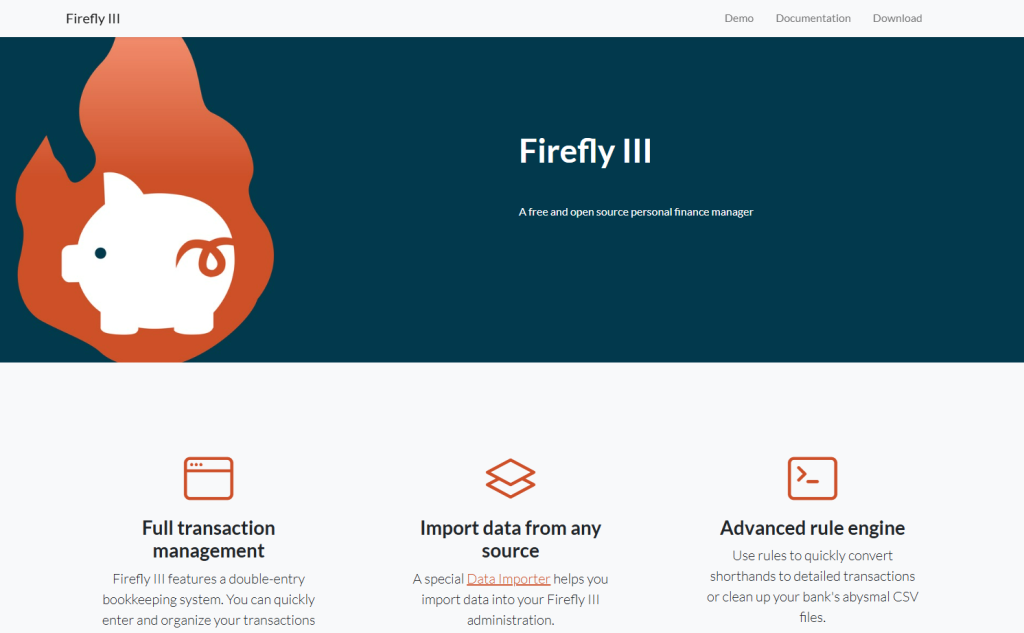
Firefly III is a free and open source web-based personal finance manager designed for self-hosting, giving individuals full control over their financial records. It is aimed at users who want to track income, expenses and savings in detail and prefer to run their own finance software on a server, home NAS, VPS or similar environment rather than relying on a hosted third-party service.
At its core, Firefly III provides complete transaction management built on a double-entry bookkeeping system. Users can create and manage multiple asset, liability and other account types, record transfers, deposits and withdrawals, and keep their balances accurate over time. The application supports multiple currencies, allowing people who deal with more than one currency to record and budget transactions in all of them within the same system. Visitors who install the software can organize their finances with budgets, categories and tags, using whichever classification approach suits their personal style. Budgets can be configured with limits and can work with multiple currencies, supporting both everyday household spending and more specialized expenses.
Firefly III includes tools for planning and analyzing personal finances. Its budgeting features range from simple category limits to more advanced approaches, including envelope-style budgeting where users assign funds to virtual envelopes for different purposes. It also offers bill and recurring expense management, so regular payments can be tracked and monitored. Reports are a central part of the experience: the application generates informative charts and lists showing expenses and income per week, month or year, as well as comparisons between budgets, categories or tags. Users can review detailed list views to audit accounts, identify patterns in spending, and monitor progress toward savings goals.
Data import is handled through a dedicated companion application called the Firefly III Data Importer. This separate tool connects to a Firefly III installation via its API and is designed to bring in financial transaction data from external sources. Typical use cases include importing CSV files exported from banks or other finance tools, ingesting CAMT.053 bank statement files, and connecting directly to supported banks using secure connections. The importer supports interactive, web-based workflows where users upload and map files, and can also be configured for automated or scheduled imports that keep Firefly III up to date regularly. During import, the Data Importer validates and converts source data into a format compatible with Firefly III, then submits the transactions to the main application.
For advanced and technical users, Firefly III exposes an extensive JSON REST API. Through this interface, visitors who deploy Firefly III can programmatically create and modify transactions, manage categories, budgets and tags, and retrieve chart and reporting data. This makes it possible to integrate Firefly III with other systems, automate recurring tasks, or build custom mobile or desktop clients on top of the personal finance data stored in the self-hosted instance. The same API powers the Data Importer and other tooling around the project.
The main audience for Firefly III consists of individuals and households looking for a robust personal finance manager that they can host themselves, as well as enthusiasts of self-hosted software who prioritize data privacy and flexibility. Typical use cases include tracking day-to-day expenses and income across multiple bank and cash accounts, building and maintaining budgets, monitoring debt repayment, analyzing financial trends over time, consolidating data from different banks or tools into a single view, and experimenting with more structured bookkeeping for personal finances.
Firefly III is available at no monetary cost to download and run, reflecting its free and open source nature. Users generally access it through a web browser once it has been installed on a server, and there is comprehensive online documentation explaining installation, configuration, data importing and use of major features for both the main application and the Data Importer. Registration requirements depend on the specific Firefly III instance: people who deploy their own copy can create accounts directly in their installation, while any shared or third-party instances would define their own sign-up process. The project documentation and site focus on helping visitors understand the capabilities of the software and how to operate it as a personal finance management system under their own control.
Key features
- Self-hosted web-based personal finance manager focused on detailed tracking of income, expenses and savings
- Double-entry bookkeeping for transactions, supporting accurate multi-account management
- Support for multiple currencies across transactions, budgets and reports
- Budgets, categories and tags to organize spending and tailor financial workflows
- Envelope-style budgeting and bill or recurring payment tracking for planning regular expenses
- Informative reports and charts for expenses, income, budgets and tags over different time ranges, plus detailed account audit views
- Dedicated Firefly III Data Importer application for importing CSV, CAMT.053 and other supported formats, including options for direct bank connections and scheduled imports
- Extensive JSON REST API enabling integration with other systems, automation and custom clients
- Comprehensive documentation site covering Firefly III, the Data Importer, installation, configuration and practical tutorials
Who it is for
- Individuals and households wanting to track personal finances in detail on self-hosted software
- Self-hosting and open source enthusiasts who prefer to control their financial data on their own infrastructure
- Technical users and developers interested in integrating personal finance data with other systems via an API
- Users who manage finances in multiple currencies and need flexible budgeting and reporting tools
Access and pricing
Firefly III is described as free and open source personal finance software. There is no indication of required subscription fees or per-user charges for downloading or running the software. Any potential paid hosting or related services are not clearly documented in the reviewed material.